Recent Articles
Showing posts with label technology. Show all posts
Showing posts with label technology. Show all posts
Saturday, August 3, 2013
Saturday, August 3, 2013
-
0
Comments

Cloud computing refers to the use of computing resources, those being hardware and/or software) that reside on a remote machine and are delivered to the end user as a service over a network, with the most prevalent example being the internet. Cloud computing is a colloquial expression used to describe a variety of different types of computing concepts that involve a large number of computers that are connected through a real-time communication network (typically the Internet). Cloud computing is a jargon term without a commonly accepted non-ambiguous scientific or technical definition. In science, cloud computing is a synonym for distributed computing over a network and means the ability to run a program on many connected computers at the same time.
The popularity of the term can be attributed to its use in marketing to sell hosted services in the sense of application service provisioning that run client server software on a remote location. cloud computing managed to cut through the hype and truly shift the paradigm of how IT is done nowadays. The Cloud has achieved cutting costs for enterprises and helping users focus on their core business instead of being obstructed by IT issues. For this reason, it seems that it is here to stay for the immediate future.
Categories of Cloud Computing
There are mainly four models of cloud computing:- Infrastructure as a Service (IaaS)
- Platform as a Service (PaaS)
- Software as a Service (SaaS)
- Network as a Service (Naas)

Let’s discuss those in more detail.
Infrastructure as a Service (IaaS):
This is the most basic cloud-service model, which provides the user
with virtual infrastructure, for example servers and data storage space.
Virtualization plays a major role in this mode, by allowing IaaS-cloud
providers to supply resources on-demand extracting them from their large
pools installed in data centers.
Platform as a Service (PaaS):
In this model, cloud providers deliver to the user development environment services where the user can develop and run in-house built applications. The services might include an operating system, a programming language execution environment, databases and web servers.Software as a Service (SaaS):
In this model, the cloud provides the user with access to already developer applications that are running in the cloud. The access is achieved by cloud clients and the cloud users do not manage the infrastructure where the application resides, eliminating with this the way the need to install and run the application on the cloud user’s own computers.Network as a Service (Naas):
The least common model, where the user is provided with network connectivity services, such as VPN and bandwidth on demand.
Advantages of Cloud Computing
Cloud
computing offers numerous advantages both to end users and businesses
of all sizes. Cloud computing relies on sharing of resources to achieve coherence and economies of scale similar to a utility (like the electricity grid) over a network. At the foundation of cloud computing is the broader concept of converged infrastructure and shared services.The obvious huge advantage is that you no more have to
support the infrastructure or have the knowledge necessary to develop
and maintain the infrastructure, development environment or application,
as were things up until recently. The burden has been lifted and
someone else is taking care of all that. Business are now able to focus
on their core business by outsourcing all the hassle of IT
infrastructure.
Let’s see some of the most important advantages of cloud computing and discuss them in more detail. Those will include both a company’s and an end-user’s perspective.
Cost Efficiency
This is the biggest advantage of cloud computing, achieved by the elimination of the investment in stand-alone software or servers. By leveraging cloud’s capabilities, companies can save on licensing fees and at the same time eliminate overhead charges such as the cost of data storage, software updates, management etc.The cloud is in general available at much cheaper rates than traditional approaches and can significantly lower the overall IT expenses. At the same time, convenient and scalable charging models have emerged (such as one-time-payment and pay-as-you-go), making the cloud even more attractive.
If you want to get more technical and analytical, cloud computing delivers a better cash flow by eliminating the capital expense (CAPEX) associated with developing and maintaining the server infrastructure.
Convenience and continuous availability
Public clouds offer services that are available wherever the end user might be located. This approach enables easy access to information and accommodates the needs of users in different time zones and geographic locations. As a side benefit, collaboration booms since it is now easier than ever to access, view and modify shared documents and files.Moreover, service uptime is in most cases guaranteed, providing in that way continuous availability of resources. The various cloud vendors typically use multiple servers for maximum redundancy. In case of system failure, alternative instances are automatically spawned on other machines.
Backup and Recovery
The process of backing up and recovering data is simplified since those now reside on the cloud and not on a physical device. The various cloud providers offer reliable and flexible backup/recovery solutions. In some cases, the cloud itself is used solely as a backup repository of the data located in local computers.Cloud is environmentally friendly
The cloud is in general more efficient than the typical IT infrastructure and It takes fewer resources to compute, thus saving energy. For example, when servers are not used, the infrastructure normally scales down, freeing up resources and consuming less power. At any moment, only the resources that are truly needed are consumed by the system.Resiliency and Redundancy
A cloud deployment is usually built on a robust architecture thus providing resiliency and redundancy to its users. The cloud offers automatic failover between hardware platforms out of the box, while disaster recovery services are also often included.Scalability and Performance
Scalability is a built-in feature for cloud deployments. Cloud instances are deployed automatically only when needed and as a result, you pay only for the applications and data storage you need. Hand in hand, also comes elasticity, since clouds can be scaled to meet your changing IT system demands.Regarding performance, the systems utilize distributed architectures which offer excellent speed of computations. Again, it is the provider’s responsibility to ensure that your services run on cutting edge machinery. Instances can be added instantly for improved performance and customers have access to the total resources of the cloud’s core hardware via their dashboards.
Quick deployment and ease of integration
A cloud system can be up and running in a very short period, making quick deployment a key benefit. On the same aspect, the introduction of a new user in the system happens instantaneously, eliminating waiting periods.Furthermore, software integration occurs automatically and organically in cloud installations. A business is allowed to choose the services and applications that best suit their preferences, while there is minimum effort in customizing and integrating those applications.
Increased Storage Capacity
The cloud can accommodate and store much more data compared to a personal computer and in a way offers almost unlimited storage capacity. It eliminates worries about running out of storage space and at the same time It spares businesses the need to upgrade their computer hardware, further reducing the overall IT cost.Device Diversity and Location Independence
Cloud computing services can be accessed via a plethora of electronic devices that are able to have access to the internet. These devices include not only the traditional PCs, but also smartphones, tablets etc. With the cloud, the “Bring your own device” (BYOD) policy can be easily adopted, permitting employees to bring personally owned mobile devices to their workplace.An end-user might decide not only which device to use, but also where to access the service from. There is no limitation of place and medium. We can access our applications and data anywhere in the world, making this method very attractive to people. Cloud computing is in that way especially appealing to international companies as it offers the flexibility for its employees to access company files wherever they are.
Smaller learning curve
Cloud applications usually entail smaller learning curves since people are quietly used to them. Users find it easier to adopt them and come up to speed much faster. Main examples of this are applications like GMail and Google Docs.Disadvantages of Cloud Computing
As made clear from the above, cloud computing is a tool that offers enormous benefits to its adopters. However, being a tool, it also comes with its set of problems and inefficiencies. Let’s address the most significant ones.Security and privacy in the Cloud
Security is the biggest concern when it comes to cloud computing. By leveraging a remote cloud based infrastructure, a company essentially gives away private data and information, things that might be sensitive and confidential. It is then up to the cloud service provider to manage, protect and retain them, thus the provider’s reliability is very critical. A company’s existence might be put in jeopardy, so all possible alternatives should be explored before a decision. On the same note, even end users might feel uncomfortable surrendering their data to a third party.Similarly, privacy in the cloud is another huge issue. Companies and users have to trust their cloud service vendors that they will protect their data from unauthorized users. The various stories of data loss and password leakage in the media does not help to reassure some of the most concerned users.
Dependency and vendor lock-in
One of the major disadvantages of cloud computing is the implicit dependency on the provider. This is what the industry calls “vendor lock-in” since it is difficult, and sometimes impossible, to migrate from a provider once you have rolled with him. If a user wishes to switch to some other provider, then it can be really painful and cumbersome to transfer huge data from the old provider to the new one. This is another reason why you should carefully and thoroughly contemplate all options when picking a vendor.Technical Difficulties and Downtime
Certainly the smaller business will enjoy not having to deal with the daily technical issues and will prefer handing those to an established IT company, however you should keep in mind that all systems might face dysfunctions from time to time. Outage and downtime is possible even to the best cloud service providers, as the past has shown.Additionally, you should remember that the whole setup is dependent on internet access, thus any network or connectivity problems will render the setup useless. As a minor detail, also keep in mind that it might take several minutes for the cloud to detect a server fault and launch a new instance from an image snapshot.
Limited control and flexibility
Since the applications and services run on remote, third party virtual environments, companies and users have limited control over the function and execution of the hardware and software. Moreover, since remote software is being used, it usually lacks the features of an application running locally.Increased Vulnerability
Related to the security and privacy mentioned before, note that cloud based solutions are exposed on the public internet and are thus a more vulnerable target for malicious users and hackers. Nothing on the Internet is completely secure and even the biggest players suffer from serious attacks and security breaches. Due to the interdependency of the system, If there is a compromise one one of the machines that data is stored, there might be a leakage of personal information to the world.Conclusion
Despite its disadvantages and the fact that it is still in an infant age, cloud computing remains strong and has great potential for the future. Its user base grows constantly and more big players are attracted to it, offering better and more fine tuned services and solutions. We can only hope that the advantages will further grow and the disadvantages will be mitigated, since cloud computing seems to have made IT a little bit easier. Happy cloud computing!
Source: Wiki, Javacodegeeks, techtarget
Friday, July 19, 2013
Friday, July 19, 2013
-
0
Comments


Books are available to purchase and add to your library on the web, on your Android devices and on iOS devices in the new countries.
You can choose from millions of titles on Google Play including new releases, New York Times best sellers, up-and-coming authors, and free books. Easily personalize your reading experience, pick up where you left off on your phone, tablet, or computer, and get reading today!

Enjoy reading thousands of titles from new releases to classics on Android (goo.gl/sa0xY), iOS (goo.gl/dDSID) and the web (goo.gl/S1wpC).
Source

Saturday, July 13, 2013
Saturday, July 13, 2013
-
0
Comments


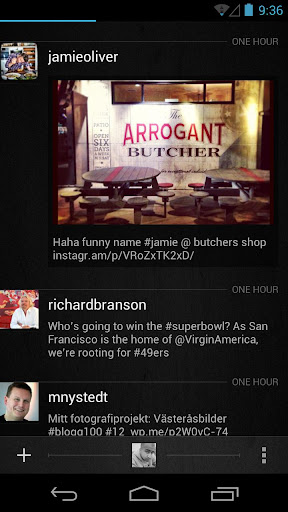
All of your Twitter content available on one screen, a screen that doesn't get you drilling down to many other screens to reach to what you want. Timelines, Lists, Favorites, Searches, Trends, Profiles, all there.
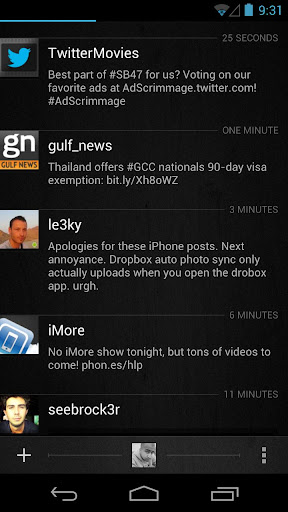
What's new in Carbon v1.2.0
- 4x1 Home Screen Widget for quick actions (The original)
- In-App Browser
- YouTube API and in-app YouTube video playback
- Vine videos Timeline Preview and playback
- People Search
- Tweet font size options
- Quote style options
- New Image Viewer screen
- Save Image option
- User Profiles now include users Favorites and Mentions
- All JPEG, PNG URLs are now previewed on Timelines
- Imagur Image previews added
- Image Upload option to Twitpic
- Notification frequency options of 5 up to 120 minutes.
- Option disable image/video previews on Timeline
- Timeline context options are now dismissible via back button
Source: +Carbon for Android
Saturday, June 29, 2013
Saturday, June 29, 2013
-
0
Comments

Google Inc is closing their Google Reader on 1 July 2013, so you have to find a new way to get your news fix. you can easily back up your data using Google Takeout, giving you ample opportunity to weigh up your alternative options going forward. Because once your Reader information is gone, it’s gone.

The Internet is a scary place, and keeping up with all the feeds out there, especially in this line of work, can be overwhelming. So while Google Reader will be missed, it’s time to move on, forget it even existed. Just make sure you save your data before moving on to something new.
Find a New RSS Reader
Feedly is the most popular Google Reader alternative. It is available in iOS, Android and Web version. It has a beautiful interface that you can tweak to work almost exactly like Google Reader. It also lets you choose been a newspaper-like interface or an image-centric view.
NewsBlur is a web based feed reader that looks and feels a bit more like a desktop reader. iOS, Android,Web version are available. You can see stories on the original site, create categories and tags that help highlight the stories you want most, and even create a “Blurblog” of all your favorite stories for others to read. A $24-per-year subscription to a premium account also allows users to add an unlimited number of feeds. A slower, basic service with a maximum of 64 feeds, as well as some usage restrictions, is available for free.
The Old Reader A beta, web version of this brand new reader launched Monday. It was built when Google Reader originally shut down its social features. It aims to be what Google Reader used to be: a simple, web-based RSS reader with lots of great sharing features.

Digg Reader Social news website Digg rolled out the beta in the coming days. Web version of its new reader, which is "aimed first and foremost at Google Reader users looking for a new home." Like Feedly, Digg’s reader takes the familiar Google Reader interface.

2013 June 30 is the last day to get Google Play Music All Access for $7.99 a month. If you want to save $2 a month on the life of the service you'll need to act before Monday rolls around. Signing up by clicking here or click on the link http://play.google.com/about/music/ with your phone and follow the instructions for a free 30 day trial to see if the service works for you. Your Google Wallet account will be billed for $7.99 for the next 30 days. If you required you can cancel the service any time through the Google Play store or the Google Play Music app.
Google Play Music makes it easy to discover, play and share the music you love on Android and the web.
With the new All Access service (US), you can play millions of songs on Google Play, listen to radio with no limits, and enjoy playlists handcrafted by our music experts. Keep listening for just $7.99/month when you start your trial before 6/30/2013.
With both All Access (US) and Standard, the Google Play Music app lets you listen to your music collection anywhere. All your music is stored online, so no need to worry about syncing, storage space or offline playback.
All Access (US) features:
* Listen to unlimited songs
* Create custom radio from any song, artist or album
* Enjoy radio without skip limits
* Get smart recommendations based on your tastes
All Access (US) and Standard features:
* Add up to 20,000 of your own songs from your personal music collection
* Access your music anywhere without syncing, and save your favorites for offline playback
* Experience music without ads
* Buy new music on Google Play (18M+ songs)
* Share a free full play of the songs you purchase from Google Play with your friends on Google+.
Friday, June 14, 2013
Friday, June 14, 2013
-
0
Comments

- Check whether the carrier of other country using GSM technology or CDMA technology. Use Wikipedia to know more about GSM and CDMA which provides detailed information about India, Europe and Asia Pacific countries . If the carrier of that particular country using GSM and you have GSM supported phone then there is no problem using it in that country.

- Check the frequency band allowed by the country to mobile the carriers where you want to travel or purchase mobile from. In Indian mobile networks are currently using 900 MHz and 1800 MHz range. In 850 MHz and 1900 MHz frequencies are using by their carriers. If you are frequent international traveler and want to buy a new smartphone it worth to go with quad-band smart phone as it works on all the possible countries.

- Click here to check the 2G and 3G frequency bands that are supported by your mobile phone. Then check the mobile operator’s website (or Wikipedia) to determine the frequency bands they are using for their 2G and 3G networks. If the frequencies match, your phone should be compatible with that mobile network.
Thursday, May 16, 2013
Thursday, May 16, 2013
-
0
Comments

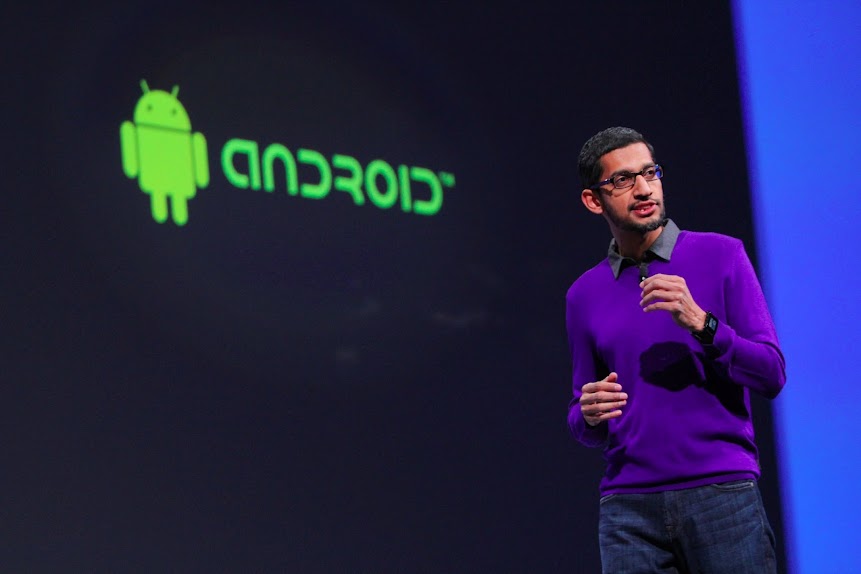
The Android Developer Tools session at Google I/O went into massive detail on the new project. One of the cooler features of Android Studio is the multi-talented preview window, which shows your code running on mock-ups of most of the standard Nexus devices in a real-time layout.
Android is more than simply a phone or tablet. It’s a platform, an ecosystem, and an opportunity for developers around the world to build exciting services and apps that reach millions of people every day. The flexibility and openness of Android provides developers--and Google, through services like Google Now the opportunity to build simple, beautiful experiences across multiple devices.

Google wants to make sure that you know this is a preview build - it's marked v0.1 on the developer website. Android Studio is available for free on Windows, OS X, and Linux. Developer.Android.com also has some tips on getting started, and a handy guide for migrating to Android Studio from Eclipse. You can check out the source code for Android Studio here.
Google I/O 53 minute Android Developer Tools session video

Google Hangouts: conversations that last, with the people you love
Google launching its stand-alone version of Hangouts that combines text, photos and live video across Android, iOS and your computer. The app is fast, free, and includes a number of key benefits, like:- Messaging is richer, and more responsive. Photos and emoji make conversations more fun, while real-time activity indicators really bring them to life.
- Your conversations can last. With conversation history, you can swipe back in time and relive all your favorite moments. (You can also turn off history, if you want.)
- No more annoying notifications. Once you see a notification on one device, we'll clear it from your other Android devices and computers. You can also snooze notifications when you don't want to be interrupted.
- You can always say hello, face-to-face-to-face. Whether you’re 1-on-1 or with a group of friends, you can always make a free video call to everyone you're with.
- The app is available in lots of places. You can download Hangouts from Google Play, the App Store, and the Chrome Web Store. It’s also part of Gmail and Google+.
Android Messaging Is Still A Mess

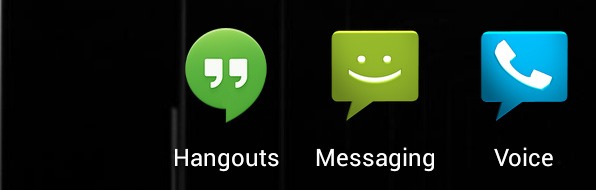
At the end of the day, Hangouts replaces one app: Google Talk. Maybe,
hopefully, Google+ Messenger will be removed in the next G+, update,
but for right now it is still on our phones. Hangouts doesn't integrate
SMS or Google Voice in any way, so, at best, Android is down from 4 IM
clients to 3.
As much as I would like to gush over a new Google product,
Hangouts is a disappointment, there's really no other way to put it.
It's a much, much nicer Google Talk, but that's all it is, another
instant messaging client. The lack of SMS and Google Voice integration
means Google hasn't solved the primary problem with their messaging
apps. The lack of online presence is really annoying, and
actually make the friends list less functional than Google Talk's. The
biggest change over Google Talk is that your iOS frenemies can now get
in on the action too, but back in Android land, we are still all waiting
for our unified messenger.
Google Hangouts Downloads


 3.4
3.4 Google Hangouts: conversations that last, with the people you love YouTube video


In the long run, they intend to include advanced features like groups, screen sharing, and the recently announced Channels to the other platforms. Keep an eye out for this one in Google Play over the next couple of months, and expect it to displace a lot of the current messaging platforms out there.
BlackBerry Messenger is a downloadable application that serves users as a communication freeware for use in their mobile BlackBerry devices.
Developed by Research in Motion Limited, BlackBerry Messenger is an instant messaging application that gives customization abilities to its users. With this app, utilizes can pick an image of their choice as their personal avatar, add contacts with the analysis of specialized bar codes or PINS, as well as exchange and share photos, videos and audio files to several people all at the same time.
Moreover, BlackBerry Messenger also enables users to create online group of their friends and families, establish a classified list of conversations by date, and find music through access to friends’ playlists.
Staying in touch with the app user’s BlackBerry contacts is just a punch of a button away specially with the application’s simplified and easy to use interface and user-friendly wording and menu organization.
BBM Voice includes a number of convenient features.
- Customers can initiate a BBM Voice call directly, or instantly switch from a BBM text chat to talk, and back again.
- The split-screen feature allows customers to talk and text at the same time, so for example, they can send a picture to their contact while talking with them. They can also check other BBM text chats, check email, or navigate to other apps while engaged on a BBM Voice call.
- BBM provides a visual indicator that shows when contacts are available for a voice call.
- BBM Voice is compatible with any accessories a customer has now for making voice calls on their BlackBerry smartphone, such as a Bluetooth® or wired headset. Customers can also use BBM Voice over their BlackBerry smartphone's speakerphone.
- If it's not an ideal time to talk, customers can simply choose to respond by texting back.
BBM version 7 with the new BBM Voice feature is currently available in Beta for BlackBerry smartphones running the BlackBerry® 6 OS or higher with support planned for smartphones running the BlackBerry 5 OS at a future date. The Beta can be downloaded for free from BlackBerry Beta Zone**. Customers can sign up to BlackBerry Beta Zone for free at www.BlackBerry.com/betazone
For more information about BBM version 7 and BBM Voice, please visit www.BlackBerry.com/betazone.
Tuesday, May 7, 2013
Tuesday, May 7, 2013
-
0
Comments

Seamlessly continue conversations, calls and video chats from mobile to desktop
Popular cross-platform messaging and VOIP service Viber is introducing brand new desktop application along with a complete refresh of its mobile apps on 07/15/13. First up are the desktop apps, which are now available for both Windows & Mac and give users the ability to continue all of their VIber conversations and activities just as they would on the phone. The new versions seamlessly integrate with existing mobile versions of the app and provide the same super-simple setup process that uses your phone number as your ID.

You can download Viber Windows Desktop here
To download to your phone click here.

To download Viber in your Mac Desktop click here.


You can text and voice chat, send pictures and stickers, make video calls and even transfer audio calls between devices mid-call.
On the mobile side, Viber v3.0 refreshes the interface, and enables a new set of features to be in sync with what the desktop now offers. The mobile app now lets you send stickers, leave video messages and a couple of back-end improvements such as sound quality and language localization. If you haven't yet tried Viber you can grab the app from the Play Store link above, and the desktop versions from the link below.

Viber syncs your contacts, messages and call history with your mobile device, so you can start the conversation on the Viber mobile application and continue from the comfort of your PC.
- Best-quality HD voice calls
- Video calls
- Free text and photo messages
- Group conversations
- No registration, passwords or invitations required
- Contacts and messages sync between your mobile and Windows
- Transfer ongoing calls between devices
You can download Viber Desktop here: www.viber.com

About Viber:
Viber is developed by Viber Media, a pioneering mobile
messaging and VoIP company. Viber lets everyone in the world connect.
Freely. Viber users can send free text messages, photo messages, share
locations anywhere in the world, and make free, HD-quality calls on
iPhone®, Android,™ Windows Phone, Blackberry®, Windows®, Mac, Symbian,
Nokia S40 and Bada devices over 3G/4G or WiFi connections. With more
than 200 million users in 193 countries, Viber is constantly innovating
by introducing new platforms and adding fun new features including
stickers and emoticons.
More click here.
More click here.
Monday, August 6, 2012
Monday, August 6, 2012
-
0
Comments

Curiosity, a Mars rover, in Gale Crater on August 6, 2012 at 05:14:39 UTC. American President Obama calls Curiosity landing an 'unprecedented feat of technology".
Mars Science Laboratory (MSL) is a robotic space probe mission to Mars launched by NASA on November 26, 2011, which successfully landed Curiosity, a Mars rover, in Gale Crater on August 6, 2012 at 05:14:39 UTC. Coverage as it happened as Nasa lands Curiosity, a metric-tonne rover, on Mars, the first time the US space agency has attempted to land a probe of that size on Mars. Touchdown took place just after 6.30am Monday morning.
First images from the Curiosity rover which landed on Mars

Gale Crater is the MSL landing site. Within Gale Crater is a mountain, named Aeolis Mons (i.e. "Mount Sharp"), of layered rocks, rising about 5.5 km (18,000 ft) above the crater floor, that Curiosity will investigate. The landing site is a smooth region called Aeolis Palus inside the crater in front of the mountain. The landing site is elliptical, 20 by 7 km (12 by 4.3 mi). Gale Crater's diameter is 154 km (96 mi).
Second Picture from Curiosity

Curiosity Landing Video
The nylon bridle will break free and the mother-ship will speed away to a safe distance where it will eventually run out of fuel and fall to the surface. Meanwhile, Curiosity will hopefully have landed wheels down with no obstruction, ready to roam and make some extraordinary scientific discoveries.Launching of Curiosity
MSL was launched from Cape Canaveral Air Force Station Space Launch Complex 41 on November 26, 2011, at 10:02:00.0 EST (15:02:00.0 UTC) via the Atlas V 541 provided by United Launch Alliance. This two stage rocket includes a 3.8 m (12 ft) Common Core Booster (CCB) powered by a single RD-180 engine, four solid rocket boosters (SRB), and one Centaur III with a 5.4 m (18 ft) diameter payload fairing. The NASA Launch Services Program coordinated the launch via the NASA Launch Services (NLS) I Contract. This vehicle is capable of launching up to 7,982 kg (17,600 lb) to geostationary transfer orbit. The Atlas V has also been used to launch the Mars Reconnaissance Orbiter and the New Horizons probe. The first and second stage along with the solid rocket motors were stacked on October 9, 2011, near the launch pad. The fairing containing MSL was transported to the launch pad on November 3, 2011.Curiosity has been careering through space for almost one year since its launch from Cape Canaveral Air Force Station, in Florida, at 10.02am, November 26 last year. Since then, the spacecraft housing Curiosity – the Mars Science Laboratory spacecraft (MSL) – has had a reasonably problem-free journey travelling the 127 million miles from Earth to Mars.
Breaking this down specifically, there have been 254 "cruise days" in the journey and 45 "approach days" when the probe was preparing for entry.

IMAGE COURTESY OF NASA JPL
Here she is on the launch pad, taking off for her mission. The launch vehicle was a two-stage Atlas rocket.
Subscribe to:
Posts
(
Atom
)


