Recent Articles
Showing posts with label digitalinsp. Show all posts
Showing posts with label digitalinsp. Show all posts
Friday, July 19, 2013
Friday, July 19, 2013
-
0
Comments


Books are available to purchase and add to your library on the web, on your Android devices and on iOS devices in the new countries.
You can choose from millions of titles on Google Play including new releases, New York Times best sellers, up-and-coming authors, and free books. Easily personalize your reading experience, pick up where you left off on your phone, tablet, or computer, and get reading today!

Enjoy reading thousands of titles from new releases to classics on Android (goo.gl/sa0xY), iOS (goo.gl/dDSID) and the web (goo.gl/S1wpC).
Source

Saturday, July 13, 2013
Saturday, July 13, 2013
-
0
Comments


All of your Twitter content available on one screen, a screen that doesn't get you drilling down to many other screens to reach to what you want. Timelines, Lists, Favorites, Searches, Trends, Profiles, all there.
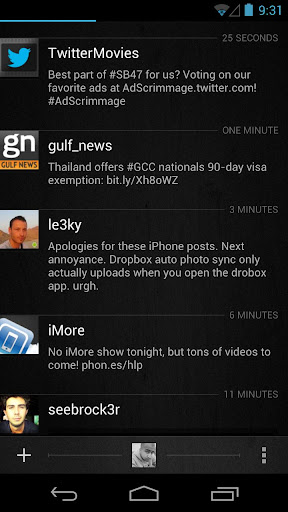
What's new in Carbon v1.2.0
- 4x1 Home Screen Widget for quick actions (The original)
- In-App Browser
- YouTube API and in-app YouTube video playback
- Vine videos Timeline Preview and playback
- People Search
- Tweet font size options
- Quote style options
- New Image Viewer screen
- Save Image option
- User Profiles now include users Favorites and Mentions
- All JPEG, PNG URLs are now previewed on Timelines
- Imagur Image previews added
- Image Upload option to Twitpic
- Notification frequency options of 5 up to 120 minutes.
- Option disable image/video previews on Timeline
- Timeline context options are now dismissible via back button
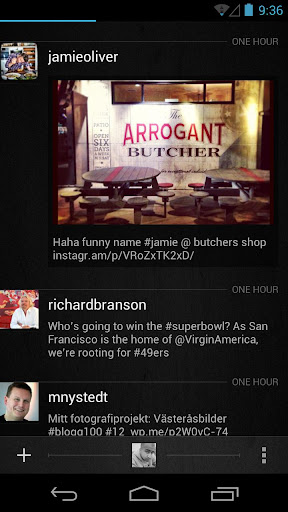
Source: +Carbon for Android
Saturday, June 29, 2013
Saturday, June 29, 2013
-
0
Comments

Google Inc is closing their Google Reader on 1 July 2013, so you have to find a new way to get your news fix. you can easily back up your data using Google Takeout, giving you ample opportunity to weigh up your alternative options going forward. Because once your Reader information is gone, it’s gone.

The Internet is a scary place, and keeping up with all the feeds out there, especially in this line of work, can be overwhelming. So while Google Reader will be missed, it’s time to move on, forget it even existed. Just make sure you save your data before moving on to something new.
Find a New RSS Reader
Feedly is the most popular Google Reader alternative. It is available in iOS, Android and Web version. It has a beautiful interface that you can tweak to work almost exactly like Google Reader. It also lets you choose been a newspaper-like interface or an image-centric view.
NewsBlur is a web based feed reader that looks and feels a bit more like a desktop reader. iOS, Android,Web version are available. You can see stories on the original site, create categories and tags that help highlight the stories you want most, and even create a “Blurblog” of all your favorite stories for others to read. A $24-per-year subscription to a premium account also allows users to add an unlimited number of feeds. A slower, basic service with a maximum of 64 feeds, as well as some usage restrictions, is available for free.
The Old Reader A beta, web version of this brand new reader launched Monday. It was built when Google Reader originally shut down its social features. It aims to be what Google Reader used to be: a simple, web-based RSS reader with lots of great sharing features.

Digg Reader Social news website Digg rolled out the beta in the coming days. Web version of its new reader, which is "aimed first and foremost at Google Reader users looking for a new home." Like Feedly, Digg’s reader takes the familiar Google Reader interface.

2013 June 30 is the last day to get Google Play Music All Access for $7.99 a month. If you want to save $2 a month on the life of the service you'll need to act before Monday rolls around. Signing up by clicking here or click on the link http://play.google.com/about/music/ with your phone and follow the instructions for a free 30 day trial to see if the service works for you. Your Google Wallet account will be billed for $7.99 for the next 30 days. If you required you can cancel the service any time through the Google Play store or the Google Play Music app.
Google Play Music makes it easy to discover, play and share the music you love on Android and the web.
With the new All Access service (US), you can play millions of songs on Google Play, listen to radio with no limits, and enjoy playlists handcrafted by our music experts. Keep listening for just $7.99/month when you start your trial before 6/30/2013.
With both All Access (US) and Standard, the Google Play Music app lets you listen to your music collection anywhere. All your music is stored online, so no need to worry about syncing, storage space or offline playback.
All Access (US) features:
* Listen to unlimited songs
* Create custom radio from any song, artist or album
* Enjoy radio without skip limits
* Get smart recommendations based on your tastes
All Access (US) and Standard features:
* Add up to 20,000 of your own songs from your personal music collection
* Access your music anywhere without syncing, and save your favorites for offline playback
* Experience music without ads
* Buy new music on Google Play (18M+ songs)
* Share a free full play of the songs you purchase from Google Play with your friends on Google+.
Friday, June 14, 2013
Friday, June 14, 2013
-
0
Comments

- Check whether the carrier of other country using GSM technology or CDMA technology. Use Wikipedia to know more about GSM and CDMA which provides detailed information about India, Europe and Asia Pacific countries . If the carrier of that particular country using GSM and you have GSM supported phone then there is no problem using it in that country.

- Check the frequency band allowed by the country to mobile the carriers where you want to travel or purchase mobile from. In Indian mobile networks are currently using 900 MHz and 1800 MHz range. In 850 MHz and 1900 MHz frequencies are using by their carriers. If you are frequent international traveler and want to buy a new smartphone it worth to go with quad-band smart phone as it works on all the possible countries.

- Click here to check the 2G and 3G frequency bands that are supported by your mobile phone. Then check the mobile operator’s website (or Wikipedia) to determine the frequency bands they are using for their 2G and 3G networks. If the frequencies match, your phone should be compatible with that mobile network.
Tuesday, June 11, 2013
Tuesday, June 11, 2013
-
0
Comments


While the settings to enable and change sync settings for Gmail haven't changed in the latest update, many people are just being introduced to them for the first time with the addition of "Mail Categories" this last week. Simply enabling the new Mail Categories feature on the web view of Gmail will get the tabs to show up in your app, but unfortunately won't start syncing or notifying you of your mail to those categories by default. It'll take just a few taps through the settings of the Gmail app to have everything syncing and ringing once again though, so let's take a look at the process.
Full article at: Android Central
Friday, May 17, 2013
Friday, May 17, 2013
-
0
Comments

Now Google Wallet is now integrated into Gmail. You can securely send money to friends and family in the U.S. without leaving your Gmail inbox.
ഇനി മുതല് സെര്ച്ചും മെയിലും ചാറ്റും മാത്രമല്ല ഗൂഗിള് വഴി സാധ്യമാകുക. ജിമെയിലിലൂടെ നിങ്ങള്ക്കിനി ലോകത്തിലെവിടേക്കും പണമയക്കാന് സാധിക്കും. എന്നാല് തല്ക്കാലം അമേരിക്കക്കാര് മാത്രം ഇതറിഞ്ഞ് സന്തോഷിച്ചാല് മതി. കാരണം അമേരിക്കയില് മാത്രമാണ് ആദ്യ ഘട്ടത്തില് ഗൂഗിള് ഈ പുതിയ സംവിധാനം അവതരിപ്പിക്കുന്നത്.
മറ്റ് രാജ്യങ്ങളിലുള്ളവര് അല്പ്പം കൂടി കാത്തിരിക്കണമെന്നര്ത്ഥം.
ഗൂഗിള് വാലറ്റ് എന്ന ഗൂഗിളിന്റെ മണി പെയ്മന്റ് സംവിധാനം ജിമെയിലുമായി കൂട്ടിച്ചേര്ത്താണ് ഇത് സാധ്യമാക്കുന്നത്. പതിനെട്ടു വയസ്സു തികഞ്ഞ ഏതൊരു അമേരിക്കന് പൗരന്മാര്ക്കും ഈ സേവനം ഉപയോഗിക്കാം. ആര്ക്കാണോ പണം അയക്കേണ്ടത് അവരുടെ ഇമയില് വിലാസം നല്കുക. ശേഷം ജിമെയിലിലെ അറ്റാച്ച്മെന്റ് ഓപ്പഷനില് ക്ലിക്ക് ചെയ്യുമ്പോള് കാണുന്ന ഡോളര് ബട്ടണ് സെലക്ട് ചെയ്യമ്പോള് എത്ര രൂപയാണ് അയക്കേണ്ടത് എന്ന് ടൈപ്പ് ചെയ്യുക.
ഇത്തരം ട്രാന്സ്ഫറുകള് തിക്ച്ചും സുരക്ഷിതമായിരിക്കുമെന്നാണ് ഗൂഗിള് നല്കുന്ന് ഉറപ്പ്.
നിലവില് ഡെസ്ക്ടോപ്പ് വഴി മാത്രമാണ് പണമയക്കാന് സാധിക്കുക. ഗൂഗിള് വാലറ്റ് ഉപയോഗിക്കാത്ത ഉപയോഗ്താക്കള്ക്ക് ഇത്തരത്തില് പണമയക്കാന് സാധിക്കയുമില്ല. ഗൂഗിളിന്റെ വാര്ഷിക ഡവലപ്പേഴ്സ് കോണ്ഫറന്സിലാണ് ഇക്കാര്യം ഗൂഗിള് പ്രഖ്യാപിച്ചത്.

It’s free to send money from your Google Wallet Balance or directly from your bank account. You can also pay with your credit and debit cards for a low fee of 2.9% per transaction (minimum $0.30). Receiving money is always free.

If you don't have Gmail, you can still send money by clicking the "send money" button in Google Wallet. You can also send and receive money on your phone, and manage your payment methods at wallet.google.com.

A safer way to send money
When you use Google Wallet, your financial information is safely encrypted and stored on secure servers, and all transactions are monitored 24/7 to prevent fraudulent activity. In addition, Google Wallet Purchase Protection covers 100% of eligible unauthorized transactions, and our customer service team will help resolve any questions you might have.Thursday, May 16, 2013
Thursday, May 16, 2013
-
0
Comments

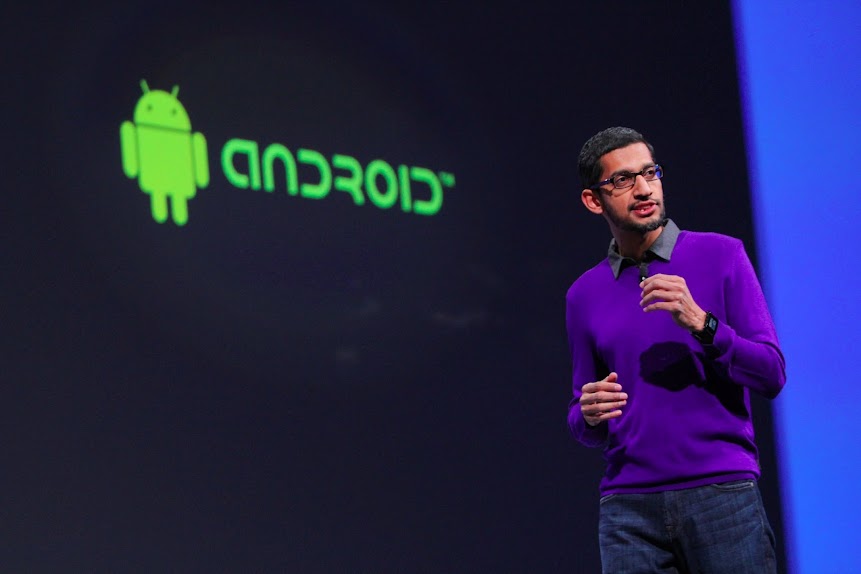
The Android Developer Tools session at Google I/O went into massive detail on the new project. One of the cooler features of Android Studio is the multi-talented preview window, which shows your code running on mock-ups of most of the standard Nexus devices in a real-time layout.
Android is more than simply a phone or tablet. It’s a platform, an ecosystem, and an opportunity for developers around the world to build exciting services and apps that reach millions of people every day. The flexibility and openness of Android provides developers--and Google, through services like Google Now the opportunity to build simple, beautiful experiences across multiple devices.

Google wants to make sure that you know this is a preview build - it's marked v0.1 on the developer website. Android Studio is available for free on Windows, OS X, and Linux. Developer.Android.com also has some tips on getting started, and a handy guide for migrating to Android Studio from Eclipse. You can check out the source code for Android Studio here.
Google I/O 53 minute Android Developer Tools session video

Google Hangouts: conversations that last, with the people you love
Google launching its stand-alone version of Hangouts that combines text, photos and live video across Android, iOS and your computer. The app is fast, free, and includes a number of key benefits, like:- Messaging is richer, and more responsive. Photos and emoji make conversations more fun, while real-time activity indicators really bring them to life.
- Your conversations can last. With conversation history, you can swipe back in time and relive all your favorite moments. (You can also turn off history, if you want.)
- No more annoying notifications. Once you see a notification on one device, we'll clear it from your other Android devices and computers. You can also snooze notifications when you don't want to be interrupted.
- You can always say hello, face-to-face-to-face. Whether you’re 1-on-1 or with a group of friends, you can always make a free video call to everyone you're with.
- The app is available in lots of places. You can download Hangouts from Google Play, the App Store, and the Chrome Web Store. It’s also part of Gmail and Google+.
Android Messaging Is Still A Mess

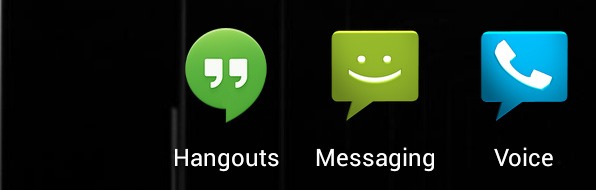
At the end of the day, Hangouts replaces one app: Google Talk. Maybe,
hopefully, Google+ Messenger will be removed in the next G+, update,
but for right now it is still on our phones. Hangouts doesn't integrate
SMS or Google Voice in any way, so, at best, Android is down from 4 IM
clients to 3.
As much as I would like to gush over a new Google product,
Hangouts is a disappointment, there's really no other way to put it.
It's a much, much nicer Google Talk, but that's all it is, another
instant messaging client. The lack of SMS and Google Voice integration
means Google hasn't solved the primary problem with their messaging
apps. The lack of online presence is really annoying, and
actually make the friends list less functional than Google Talk's. The
biggest change over Google Talk is that your iOS frenemies can now get
in on the action too, but back in Android land, we are still all waiting
for our unified messenger.
Google Hangouts Downloads


 3.4
3.4 Google Hangouts: conversations that last, with the people you love YouTube video


In the long run, they intend to include advanced features like groups, screen sharing, and the recently announced Channels to the other platforms. Keep an eye out for this one in Google Play over the next couple of months, and expect it to displace a lot of the current messaging platforms out there.
BlackBerry Messenger is a downloadable application that serves users as a communication freeware for use in their mobile BlackBerry devices.
Developed by Research in Motion Limited, BlackBerry Messenger is an instant messaging application that gives customization abilities to its users. With this app, utilizes can pick an image of their choice as their personal avatar, add contacts with the analysis of specialized bar codes or PINS, as well as exchange and share photos, videos and audio files to several people all at the same time.
Moreover, BlackBerry Messenger also enables users to create online group of their friends and families, establish a classified list of conversations by date, and find music through access to friends’ playlists.
Staying in touch with the app user’s BlackBerry contacts is just a punch of a button away specially with the application’s simplified and easy to use interface and user-friendly wording and menu organization.
BBM Voice includes a number of convenient features.
- Customers can initiate a BBM Voice call directly, or instantly switch from a BBM text chat to talk, and back again.
- The split-screen feature allows customers to talk and text at the same time, so for example, they can send a picture to their contact while talking with them. They can also check other BBM text chats, check email, or navigate to other apps while engaged on a BBM Voice call.
- BBM provides a visual indicator that shows when contacts are available for a voice call.
- BBM Voice is compatible with any accessories a customer has now for making voice calls on their BlackBerry smartphone, such as a Bluetooth® or wired headset. Customers can also use BBM Voice over their BlackBerry smartphone's speakerphone.
- If it's not an ideal time to talk, customers can simply choose to respond by texting back.
BBM version 7 with the new BBM Voice feature is currently available in Beta for BlackBerry smartphones running the BlackBerry® 6 OS or higher with support planned for smartphones running the BlackBerry 5 OS at a future date. The Beta can be downloaded for free from BlackBerry Beta Zone**. Customers can sign up to BlackBerry Beta Zone for free at www.BlackBerry.com/betazone
For more information about BBM version 7 and BBM Voice, please visit www.BlackBerry.com/betazone.
Tuesday, May 7, 2013
Tuesday, May 7, 2013
-
0
Comments

Seamlessly continue conversations, calls and video chats from mobile to desktop
Popular cross-platform messaging and VOIP service Viber is introducing brand new desktop application along with a complete refresh of its mobile apps on 07/15/13. First up are the desktop apps, which are now available for both Windows & Mac and give users the ability to continue all of their VIber conversations and activities just as they would on the phone. The new versions seamlessly integrate with existing mobile versions of the app and provide the same super-simple setup process that uses your phone number as your ID.

You can download Viber Windows Desktop here
To download to your phone click here.

To download Viber in your Mac Desktop click here.


You can text and voice chat, send pictures and stickers, make video calls and even transfer audio calls between devices mid-call.
On the mobile side, Viber v3.0 refreshes the interface, and enables a new set of features to be in sync with what the desktop now offers. The mobile app now lets you send stickers, leave video messages and a couple of back-end improvements such as sound quality and language localization. If you haven't yet tried Viber you can grab the app from the Play Store link above, and the desktop versions from the link below.

Viber syncs your contacts, messages and call history with your mobile device, so you can start the conversation on the Viber mobile application and continue from the comfort of your PC.
- Best-quality HD voice calls
- Video calls
- Free text and photo messages
- Group conversations
- No registration, passwords or invitations required
- Contacts and messages sync between your mobile and Windows
- Transfer ongoing calls between devices
You can download Viber Desktop here: www.viber.com

About Viber:
Viber is developed by Viber Media, a pioneering mobile
messaging and VoIP company. Viber lets everyone in the world connect.
Freely. Viber users can send free text messages, photo messages, share
locations anywhere in the world, and make free, HD-quality calls on
iPhone®, Android,™ Windows Phone, Blackberry®, Windows®, Mac, Symbian,
Nokia S40 and Bada devices over 3G/4G or WiFi connections. With more
than 200 million users in 193 countries, Viber is constantly innovating
by introducing new platforms and adding fun new features including
stickers and emoticons.
More click here.
More click here.
Thursday, April 25, 2013
Thursday, April 25, 2013
-
0
Comments

The Samsung Galaxy S4 is Samsung's flagship Android smartphone for 2013. The successor to the previous year's S3, the Galaxy S4 packs a 5-inch Full HD Super AMOLED display and runs either an Exynos 5 or Snapdragon chip depending on region, with 2GB of RAM. The S4's also packing a 2 megapixel front facing camera and a 13 megapixel rear shooter.

While Android phones have surged in popularity and even outnumber the
number of iPhone being sold, it's the Samsung Galaxy S name, amongst
the Droid This or Droid That on shelves, that many now recognize.
On the software side it's running the latest version of Android at the time of launch, version 4.2.2 Jelly Bean, backed up with a new TouchWiz UI. Samsung's software layer includes new graphics, refreshed animations and an armada of new features including "Smart Pause" face tracking technology.

S4 Life companion

As a real life companion, as said by the company, the new Samsung GALAXY S4 helps bring us closer and captures those fun moments when we are together. Each feature was designed to simplify our daily lives.
Performance and Specs
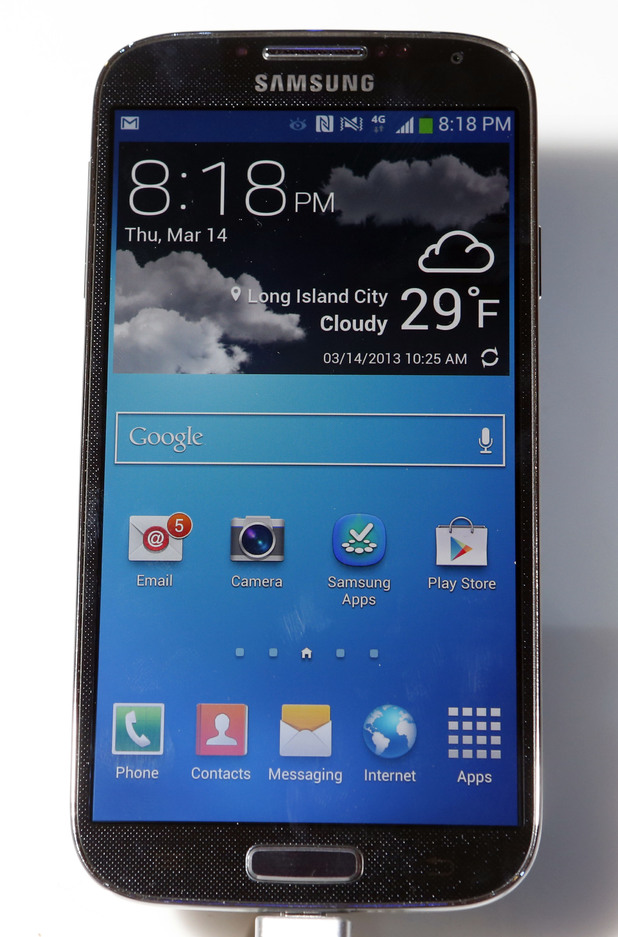
The Samsung Galaxy S4 comes in two variation as far as the processor is
concerned. The more common version features a quad-core Qualcomm
processor, while the other has the famous Exynos 5 Octa-core processor.
Benchmarks show that both models are superior in performance to the
Galaxy Note 2.
As far as random access memory goes, both devices have 2GB RAM which
makes them even. Storage is also the same as both devices come with
16/32/64 GB and can support an micro SD card.
And when talking about their performance, it is a wise decision to pit the two devices against each other via the Basemark X 1.0 app which
was initially made for gamers. It puts the devices to major graphical
tests and as you can see bellow the Samsung Galaxy S4 wipes the floor
with all the other contestants.

In terms of software both devices use Android and the Galaxy S4 comes
with a newer version out of the box. However, an official update for the
Note 2 will soon be available so this doesn't really matter all that
much.
As far as the camera goes, you can compare samples via GSM Arena
which is quite handy. The Note 2 has 8 MP, while the Galaxy S4 has a 13
MP camera. However, the difference in quality isn't anything
ground-breaking and these numbers don't even matter as much. However,
the Samsung Galaxy S4 comes with an array of amazing new features and
options when it comes to shooting photographs and I have to say that
they looks both amazing and like tons of fun!

Samsung Galaxy S4 specs
- Network: 2.5G (GSM/ GPRS/ EDGE): 850 / 900 / 1800 / 1900 MHz; 3G (HSPA+ 42Mbps): 850 / 900 / 1900 / 2100 MHz; 4G (LTE Cat 3 100/50Mbps) : up to 6 different band sets(Dependent on market)
- Display: 5 inch Full HD Super AMOLED (1920 x 1080) display, 441 ppi
- Processor: 1.9GHz quad-core processor / 1.6GHz octa-core processor (will differ depending on market)
- OS: Android 4.2.2 Jelly Bean
- Rear Camera: 13 Mega pixel Auto Focus camera with Flash & Zero Shutter Lag, BIS
- Front Camera: 2 Mega pixel camera, Full HD recording @30fps with Zero Shutter Lag, BIS
- Video: Codec: MPEG4, H.264, H.263, DivX, DivX3.11, VC-1, VP8, WMV7/8, Sorenson Spark, HEVC; Recording & Playback: Full HD (1080p)
- Audio: Codec: MP3, AMR-NB/WB, AAC/AAC+/eAAC+, WMA, OGG, FLAC, AC-3, apt-X
- Camera Features: Dual Camera: Dual Shot / Dual Recording/ Dual Video Call
Drama Shot, Sound & Shot, 360 Photo, Cinema Photo, Eraser, Night, Best Photo, Best Face,
Beauty Face, HDR (High Dynamic Range), Panorama, Sports - Additional Features: Group Play: Share Music, Share Picture, Share Document, Play Games
Story Album, S Translator, Optical Reader
Samsung Smart Scroll, Samsung Smart Pause, Air Gesture, Air View,
Samsung Hub, ChatON (Voice/Video Call, Share screen, 3-way calling)
Samsung WatchON
S Travel (Trip Advisor), S Voice™ Drive, S Health
Samsung Adapt Display, Samsung Adapt Sound
Auto adjust touch sensitivity (Glove friendly)
Safety Assistance, Samsung Link, Screen Mirroring
Samsung KNOX (B2B only) - Google Mobile Services: Google Search, Google Maps, Gmail, Google Latitude, Google Play Store, Google Plus, YouTube, Google Talk, Google Places, Google Navigation, Google Downloads, Voice Search
- Connectivity: WiFi 802.11 a/b/g/n/ac (HT80), GPS / GLONASS, NFC, Bluetooth® 4.0 (LE), IR LED (Remote Control), MHL 2.0
- Sensors: Accelerometer, RGB light, Geomagnetic, Proximity, Gyro, Barometer, Temperature & Humidity, Gesture
- RAM: 2GB
- Internal Storage: 16/ 32/ 64 GB User memory + microSD slot (up to 64GB)
- Dimensions: 136.6 x 69.8 x 7.9 mm, 130g
- Battery: 2,600 mAh
Samsung Galaxy S4 vs HTC One Video the most epic Android face-off for the first half of 2013. The Samsung Galaxy S4 and HTC One are coming out at about the same time to go ahead and have it out with one another. When the Galaxy S4 and One are in the same room, there sure ain't much love in the air, which is going to make this fight all the more interesting.
Subscribe to:
Posts
(
Atom
)


