Recent Articles
Showing posts with label Android. Show all posts
Showing posts with label Android. Show all posts
Wednesday, January 28, 2015
Wednesday, January 28, 2015
- 1 Comment

To download hike messenger app click here.
Hike Messenger - Android Apps on Google Play

Hike uses a 128-bit SSL encrypted, firewalled
server for the exchange of media and text messages only on wifi.
Messages are stored locally in the user's device and the data is not
backed-up to Hike's server. India's Biggest Chat Application Over 35 Million users are sharing messages, stickers, files and more contributing to 10 Billion Messages per month!

Hike is a cross-platform messaging app that can send messages, videos, images, contacts, locations & favicons to the other users. It was launched on 12 December 2012 and became one of the most used messengers all across India. Apart from basic social messaging means like photos, videos and audio files, Hike allows users to "nudge", a feature used to ping the receiver. In addition to that, the application supports chat themes, graphical stickers, PDF files and Microsoft Office files, and allows users to hide an individual chat or group for extended privacy.


Hike Messenger TV Ad Video


Thursday, November 13, 2014
Thursday, November 13, 2014
-
0
Comments

Messenger Google Play Store via Android Police
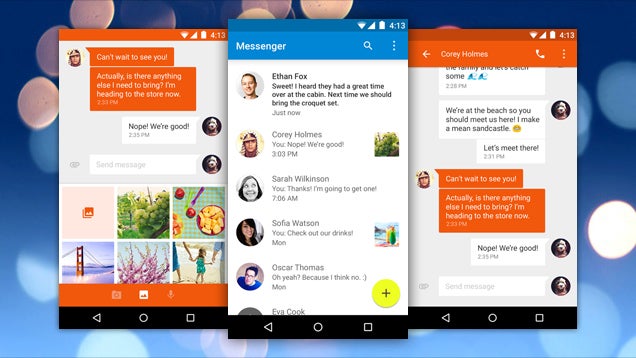
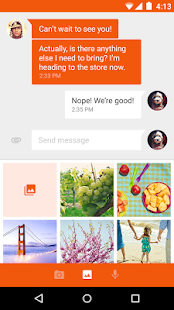
Key features of Google Messenger:
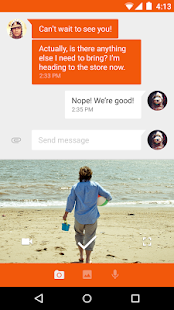
• Faster sharing: Select or take pictures and videos directly from the app and share easily. You can even send audio messages to your contacts.• Easy search: Search through contacts and conversation threads to find exactly what you are looking for.
• Purposeful design: New, fluid, material design that is intuitive and delightful.
• More control: Ability to block SMS senders. No interruptions when you don’t want them!
• More features: audio messages, emoji support 😃, colored text threads, message archiving and more.
Tuesday, May 27, 2014
Tuesday, May 27, 2014
- 1 Comment

Features:
- You can use 2 numbers in one device
- You can take a Backup of Data & restore it
- You can choose the app icon
- Copy contacts status
- Preview images without saving it locally
- Watch videos online without download (Open them on Video Players (such as MX Player))
- And more
Installation:
- Take a backup for your messages (In case you want the messages)
- Clear WhatsApp data (or reinstall it)
- Rename /sdcard/WhatsApp folder to /sdcard/OGWhatsApp
- In OG version verify the old number, and in official version verify the new one
 Download:
You can download OGWhatsApp from here


WhatsApp registers only one number for each mobile phone with a SIM card to activate it. Once installed, your SIM number got registered and the app syncs data with your phone book and you see all of your friends available on your WhatsApp contacts. WhatsApp doesn’t allow you to activate your second number officially, if you have phone with dual SIM mode, you have to choose one of the SIM cards for its activation. And if you try to mess with the app and try switching between your numbers frequently, you can get your account deactivated or blocked.
Sunday, July 28, 2013
Sunday, July 28, 2013
-
0
Comments


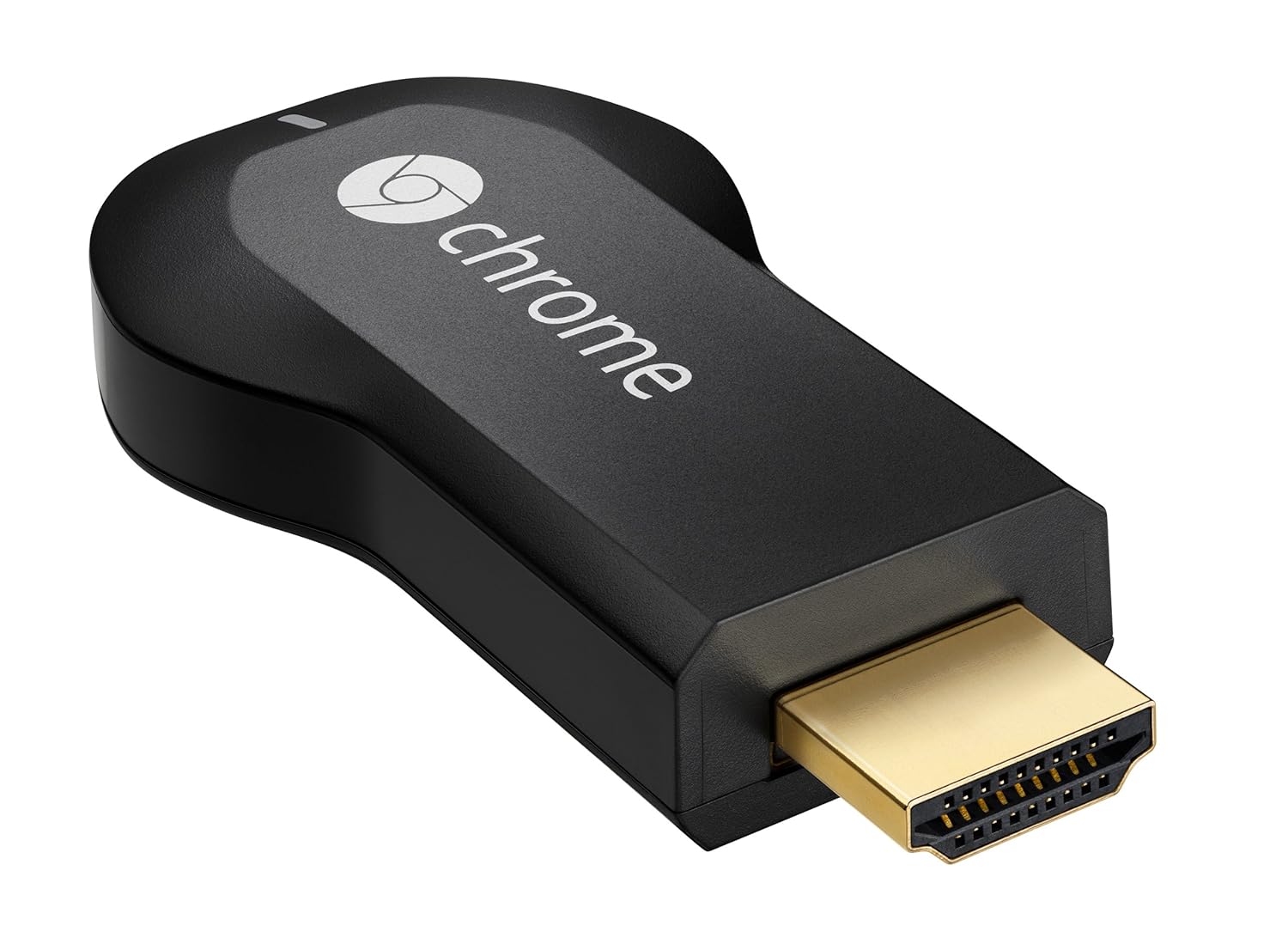
You can make your HDMI based television into Smart TV and now you can sit back and watch your Favorite Online Content on Your Big Screen using Chromecast.
Google Chromecast Specs and Features :
Chromecast by Google comes with the latest state of the art HDMI and CES compatibility along with the Output video resolution of 1080p along with the support of 2.4GHz of WiFi 802.11 b/g/n wireless capability.
- Stream online video, music and more to your TV using your smartphone, tablet, or laptop
- Supports Netflix, YouTube, Google Play, as well as anything on the web through Chrome browser
- Works with Android, iOS, Chrome for Mac, and Chrome for Windows
- Easy setup: Plug into any HDTV and connect to your home WiFi network
- Box includes Chromecast, HDMI extender, USB power cable, and power adapter
This device also supports multiple devices ranging from IOS to Android to Mac OS etc. Dimensions: 72(L) x 35(W) x 12(H) mm, HDMI & CEC Compatible, 1080p Maximum Output Resolution, 34 grams weight, 2.4 GHz WiFi 802.11 b/g/n.

Control in the Palm of Your Hand
Chromecast
works with devices you already own, including Android tablets and
smartphones, iPhones, iPads, and Chrome for Mac and Windows. Browse for
what to watch, control playback, and adjust volume using your
smartphone, tablet, or laptop. You won't have to learn anything new.
Get Started in 3 Easy Steps
Plug Chromecast into any HDTV, connect it to WiFi, then send videos and more from your smartphone, tablet or laptop to your TV.
It's for Everyone in Your House
Friends and family can use your Chromecast with their smartphone, tablet, or laptop without any additional setup.
Technical Details of Google Chromecast
| Brand Name | |
| Item Weight | 0.2 ounces |
| Product Dimensions | 2.8 x 1.4 x 0.5 inches |
| Item model number | H2G2-42 |

Supported Operating Systems:
- Android 2.3 and higher
- iOS® 6 and higher
- Windows® 7 and higher
- Mac OS® 10.7 and higher
- Chrome OS (Chromebook Pixel, additional Chromebooks coming soon)
Requirements:
If you are planning to Buy this Chromecast device, all you need to do is to make sure that you have both the below mentioned parameters;
If you are planning to Buy this Chromecast device, all you need to do is to make sure that you have both the below mentioned parameters;
- Wi-Fi enabled supported device and HDTV,
- Wi-Fi use requires 802.11 b/g/n access point (router)
Availability: Chromecast by Google Package comes with a Chromecast device, HDMI Extender, USB Power Cable along with the power Adapter. Chromecast by Google comes with a price tag of $35 and can be purchased from Google PLAY Store or Amazon Store.
Friday, July 19, 2013
Friday, July 19, 2013
-
0
Comments


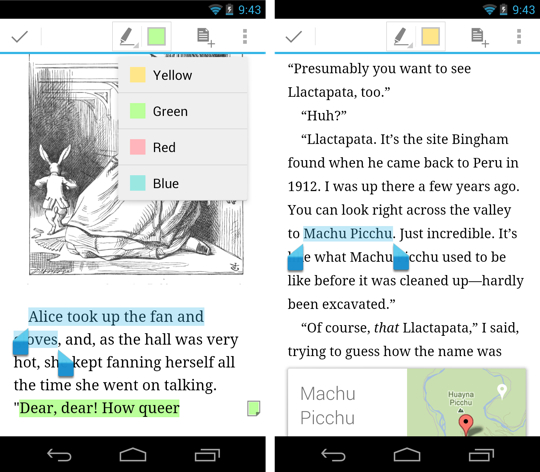
Books are available to purchase and add to your library on the web, on your Android devices and on iOS devices in the new countries.
You can choose from millions of titles on Google Play including new releases, New York Times best sellers, up-and-coming authors, and free books. Easily personalize your reading experience, pick up where you left off on your phone, tablet, or computer, and get reading today!
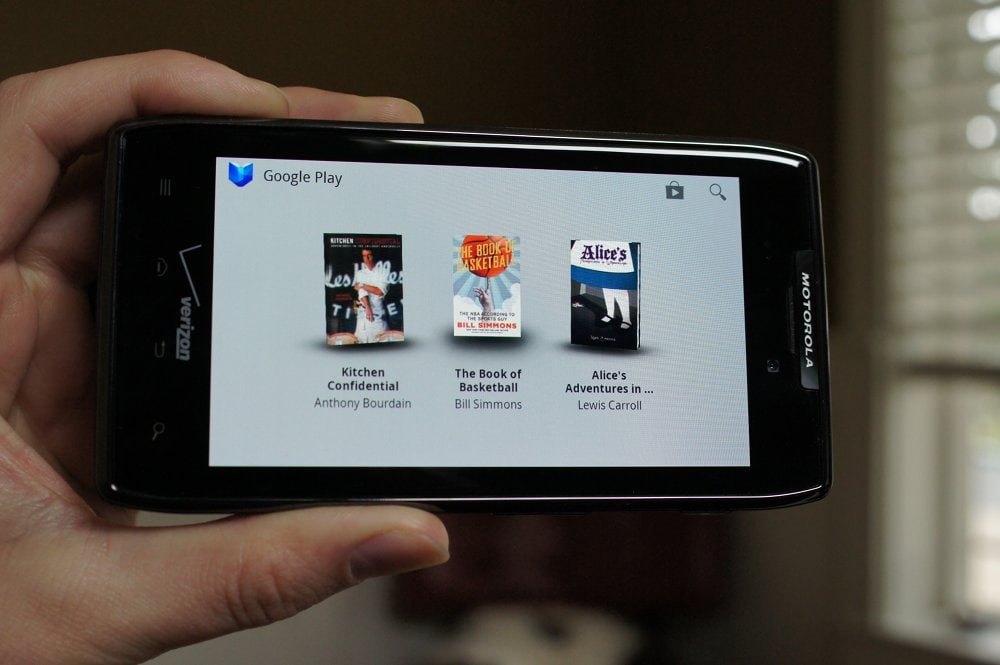
Enjoy reading thousands of titles from new releases to classics on Android (goo.gl/sa0xY), iOS (goo.gl/dDSID) and the web (goo.gl/S1wpC).
Source
Saturday, July 13, 2013
Saturday, July 13, 2013
-
0
Comments


All of your Twitter content available on one screen, a screen that doesn't get you drilling down to many other screens to reach to what you want. Timelines, Lists, Favorites, Searches, Trends, Profiles, all there.
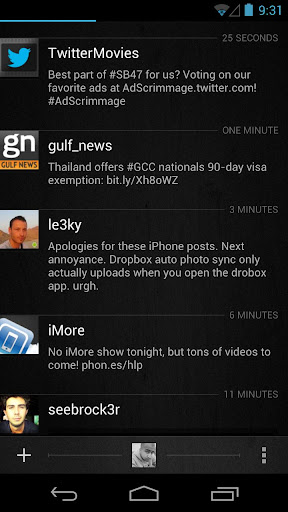
What's new in Carbon v1.2.0
- 4x1 Home Screen Widget for quick actions (The original)
- In-App Browser
- YouTube API and in-app YouTube video playback
- Vine videos Timeline Preview and playback
- People Search
- Tweet font size options
- Quote style options
- New Image Viewer screen
- Save Image option
- User Profiles now include users Favorites and Mentions
- All JPEG, PNG URLs are now previewed on Timelines
- Imagur Image previews added
- Image Upload option to Twitpic
- Notification frequency options of 5 up to 120 minutes.
- Option disable image/video previews on Timeline
- Timeline context options are now dismissible via back button
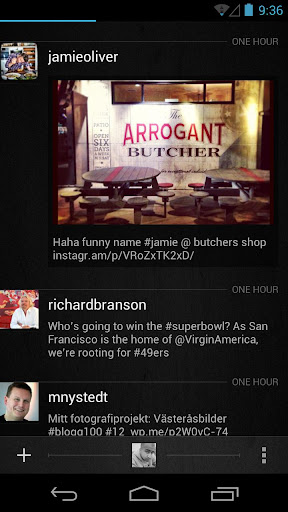
Source: +Carbon for Android
Saturday, June 29, 2013
Saturday, June 29, 2013
-
0
Comments

Google Inc is closing their Google Reader on 1 July 2013, so you have to find a new way to get your news fix. you can easily back up your data using Google Takeout, giving you ample opportunity to weigh up your alternative options going forward. Because once your Reader information is gone, it’s gone.

The Internet is a scary place, and keeping up with all the feeds out there, especially in this line of work, can be overwhelming. So while Google Reader will be missed, it’s time to move on, forget it even existed. Just make sure you save your data before moving on to something new.
Find a New RSS Reader
Feedly is the most popular Google Reader alternative. It is available in iOS, Android and Web version. It has a beautiful interface that you can tweak to work almost exactly like Google Reader. It also lets you choose been a newspaper-like interface or an image-centric view.
NewsBlur is a web based feed reader that looks and feels a bit more like a desktop reader. iOS, Android,Web version are available. You can see stories on the original site, create categories and tags that help highlight the stories you want most, and even create a “Blurblog” of all your favorite stories for others to read. A $24-per-year subscription to a premium account also allows users to add an unlimited number of feeds. A slower, basic service with a maximum of 64 feeds, as well as some usage restrictions, is available for free.
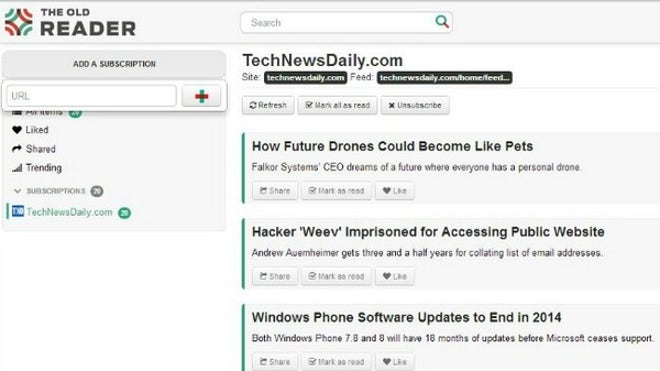
The Old Reader A beta, web version of this brand new reader launched Monday. It was built when Google Reader originally shut down its social features. It aims to be what Google Reader used to be: a simple, web-based RSS reader with lots of great sharing features.
Digg Reader Social news website Digg rolled out the beta in the coming days. Web version of its new reader, which is "aimed first and foremost at Google Reader users looking for a new home." Like Feedly, Digg’s reader takes the familiar Google Reader interface.

2013 June 30 is the last day to get Google Play Music All Access for $7.99 a month. If you want to save $2 a month on the life of the service you'll need to act before Monday rolls around. Signing up by clicking here or click on the link http://play.google.com/about/music/ with your phone and follow the instructions for a free 30 day trial to see if the service works for you. Your Google Wallet account will be billed for $7.99 for the next 30 days. If you required you can cancel the service any time through the Google Play store or the Google Play Music app.
Google Play Music makes it easy to discover, play and share the music you love on Android and the web.
With the new All Access service (US), you can play millions of songs on Google Play, listen to radio with no limits, and enjoy playlists handcrafted by our music experts. Keep listening for just $7.99/month when you start your trial before 6/30/2013.
With both All Access (US) and Standard, the Google Play Music app lets you listen to your music collection anywhere. All your music is stored online, so no need to worry about syncing, storage space or offline playback.
All Access (US) features:
* Listen to unlimited songs
* Create custom radio from any song, artist or album
* Enjoy radio without skip limits
* Get smart recommendations based on your tastes
All Access (US) and Standard features:
* Add up to 20,000 of your own songs from your personal music collection
* Access your music anywhere without syncing, and save your favorites for offline playback
* Experience music without ads
* Buy new music on Google Play (18M+ songs)
* Share a free full play of the songs you purchase from Google Play with your friends on Google+.
Tuesday, June 11, 2013
Tuesday, June 11, 2013
-
0
Comments


While the settings to enable and change sync settings for Gmail haven't changed in the latest update, many people are just being introduced to them for the first time with the addition of "Mail Categories" this last week. Simply enabling the new Mail Categories feature on the web view of Gmail will get the tabs to show up in your app, but unfortunately won't start syncing or notifying you of your mail to those categories by default. It'll take just a few taps through the settings of the Gmail app to have everything syncing and ringing once again though, so let's take a look at the process.
Full article at: Android Central
Friday, May 17, 2013
Friday, May 17, 2013
-
0
Comments

Now Google Wallet is now integrated into Gmail. You can securely send money to friends and family in the U.S. without leaving your Gmail inbox.
ഇനി മുതല് സെര്ച്ചും മെയിലും ചാറ്റും മാത്രമല്ല ഗൂഗിള് വഴി സാധ്യമാകുക. ജിമെയിലിലൂടെ നിങ്ങള്ക്കിനി ലോകത്തിലെവിടേക്കും പണമയക്കാന് സാധിക്കും. എന്നാല് തല്ക്കാലം അമേരിക്കക്കാര് മാത്രം ഇതറിഞ്ഞ് സന്തോഷിച്ചാല് മതി. കാരണം അമേരിക്കയില് മാത്രമാണ് ആദ്യ ഘട്ടത്തില് ഗൂഗിള് ഈ പുതിയ സംവിധാനം അവതരിപ്പിക്കുന്നത്.
മറ്റ് രാജ്യങ്ങളിലുള്ളവര് അല്പ്പം കൂടി കാത്തിരിക്കണമെന്നര്ത്ഥം.
ഗൂഗിള് വാലറ്റ് എന്ന ഗൂഗിളിന്റെ മണി പെയ്മന്റ് സംവിധാനം ജിമെയിലുമായി കൂട്ടിച്ചേര്ത്താണ് ഇത് സാധ്യമാക്കുന്നത്. പതിനെട്ടു വയസ്സു തികഞ്ഞ ഏതൊരു അമേരിക്കന് പൗരന്മാര്ക്കും ഈ സേവനം ഉപയോഗിക്കാം. ആര്ക്കാണോ പണം അയക്കേണ്ടത് അവരുടെ ഇമയില് വിലാസം നല്കുക. ശേഷം ജിമെയിലിലെ അറ്റാച്ച്മെന്റ് ഓപ്പഷനില് ക്ലിക്ക് ചെയ്യുമ്പോള് കാണുന്ന ഡോളര് ബട്ടണ് സെലക്ട് ചെയ്യമ്പോള് എത്ര രൂപയാണ് അയക്കേണ്ടത് എന്ന് ടൈപ്പ് ചെയ്യുക.
ഇത്തരം ട്രാന്സ്ഫറുകള് തിക്ച്ചും സുരക്ഷിതമായിരിക്കുമെന്നാണ് ഗൂഗിള് നല്കുന്ന് ഉറപ്പ്.
നിലവില് ഡെസ്ക്ടോപ്പ് വഴി മാത്രമാണ് പണമയക്കാന് സാധിക്കുക. ഗൂഗിള് വാലറ്റ് ഉപയോഗിക്കാത്ത ഉപയോഗ്താക്കള്ക്ക് ഇത്തരത്തില് പണമയക്കാന് സാധിക്കയുമില്ല. ഗൂഗിളിന്റെ വാര്ഷിക ഡവലപ്പേഴ്സ് കോണ്ഫറന്സിലാണ് ഇക്കാര്യം ഗൂഗിള് പ്രഖ്യാപിച്ചത്.

It’s free to send money from your Google Wallet Balance or directly from your bank account. You can also pay with your credit and debit cards for a low fee of 2.9% per transaction (minimum $0.30). Receiving money is always free.

If you don't have Gmail, you can still send money by clicking the "send money" button in Google Wallet. You can also send and receive money on your phone, and manage your payment methods at wallet.google.com.

A safer way to send money
When you use Google Wallet, your financial information is safely encrypted and stored on secure servers, and all transactions are monitored 24/7 to prevent fraudulent activity. In addition, Google Wallet Purchase Protection covers 100% of eligible unauthorized transactions, and our customer service team will help resolve any questions you might have.Thursday, May 16, 2013
Thursday, May 16, 2013
-
0
Comments

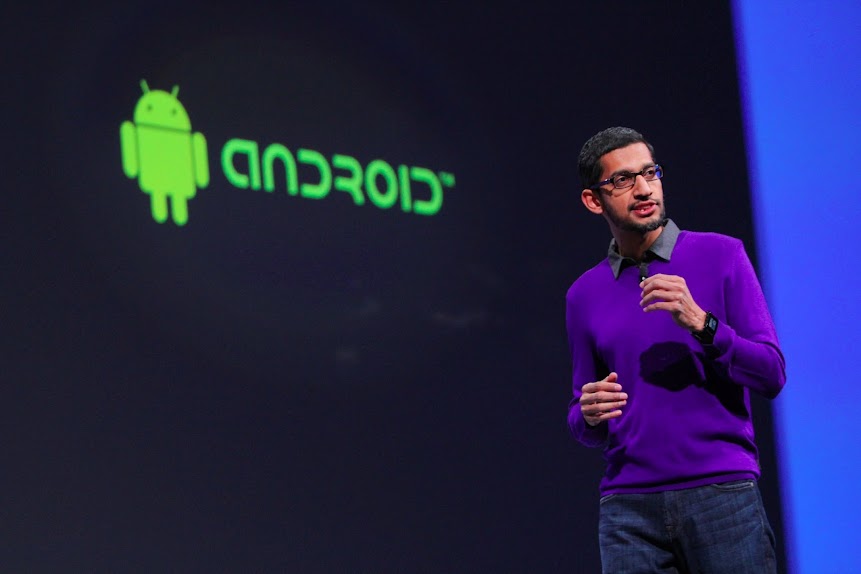
The Android Developer Tools session at Google I/O went into massive detail on the new project. One of the cooler features of Android Studio is the multi-talented preview window, which shows your code running on mock-ups of most of the standard Nexus devices in a real-time layout.
Android is more than simply a phone or tablet. It’s a platform, an ecosystem, and an opportunity for developers around the world to build exciting services and apps that reach millions of people every day. The flexibility and openness of Android provides developers--and Google, through services like Google Now the opportunity to build simple, beautiful experiences across multiple devices.

Google wants to make sure that you know this is a preview build - it's marked v0.1 on the developer website. Android Studio is available for free on Windows, OS X, and Linux. Developer.Android.com also has some tips on getting started, and a handy guide for migrating to Android Studio from Eclipse. You can check out the source code for Android Studio here.
Google I/O 53 minute Android Developer Tools session video
Subscribe to:
Posts
(
Atom
)


